Designed for repeatable delivery.
A repository-verified look at how I configured and operated three branch-aware application pipelines from GitLab through Jenkins and Docker to AWS EC2.
From repository
to production.
How three application repositories became repeatable Docker artifacts, branch-aware Jenkins pipelines, credential-bound EC2 deployments, Prisma-ready releases, and publicly verified production services.
The delivery problem before automation
KOLVerse consists of a public Next.js Website, a NestJS/Prisma API, and an internal Next.js Admin. GitLab held source, but production still needed deterministic dependencies, repeatable artifacts, safe credentials, controlled server updates, database migration, and end-to-end verification.
Dockerfiles, Jenkinsfiles, build scripts, history, Jenkins captures, runtime exports, and Terraform.
No supplied GitLab, Registry, Credentials, local Docker, or AWS Console screenshot. The page does not invent them.
Prepare a reproducible API image
The first task was making the API build independently of a developer machine. Application source, Prisma migrations, Bun’s lockfile, Docker configuration, build scripts, and Jenkinsfile remain versioned together.
api/
├── src/
├── prisma/
├── scripts/
│   ├── build.staging.sh
│   └── build.prod.sh
├── jenkins/
│   └── notifyTelegram.groovy
├── package.json
├── bun.lock
├── Dockerfile
├── .dockerignore
└── JenkinsfileFROM oven/bun:1.3.6-slim AS runner
WORKDIR /app
ENV NODE_ENV=production
ENV TZ=Asia/Bangkok
COPY --from=builder /app/node_modules ./node_modules
COPY --from=builder /app/package.json ./
COPY --from=builder /app/dist ./dist
COPY --from=builder /app/prisma ./prisma
USER bun
EXPOSE 8080
CMD ["sh", "-c", "bunx prisma migrate deploy && bun dist/src/main.js"]Installs the locked dependency graph and compiles NestJS.
Copies only runtime dependencies, dist, package metadata, and Prisma.
USER bun reduces process privilege.
Migration must succeed before NestJS starts, making schema readiness part of deployment readiness.
View complete API Dockerfileapi.DockerfileView full source
Loading source…
View Website production Dockerfilewebsite.Dockerfile.productionView full source
Loading source…
Control the context, then prove the container locally
node_modules
dist
.git
.gitignore
.idea
.vscode
*.swp
.env
.env.*
!.env.example
*.log
coverage
test
Dockerfile*
docker-compose*
.dockerignoreRebuild inside the image instead of accepting host output.
Exclude history and editor state.
Prevent secrets entering the Docker context.
Keep variable documentation without values.
View complete .dockerignoreapi.dockerignoreView full source
Loading source…
docker build --platform linux/amd64 -t kolverse-api:local .
docker run --rm --env-file .env.local -p 8080:8080 kolverse-api:local
curl -fsS http://127.0.0.1:8080/api/v1/health-check
This build → run → health sequence validates the production architecture, runtime configuration, Prisma startup, port 8080, and health route before Jenkins automates it. No local terminal capture was preserved.
Give each GitLab branch a delivery meaning
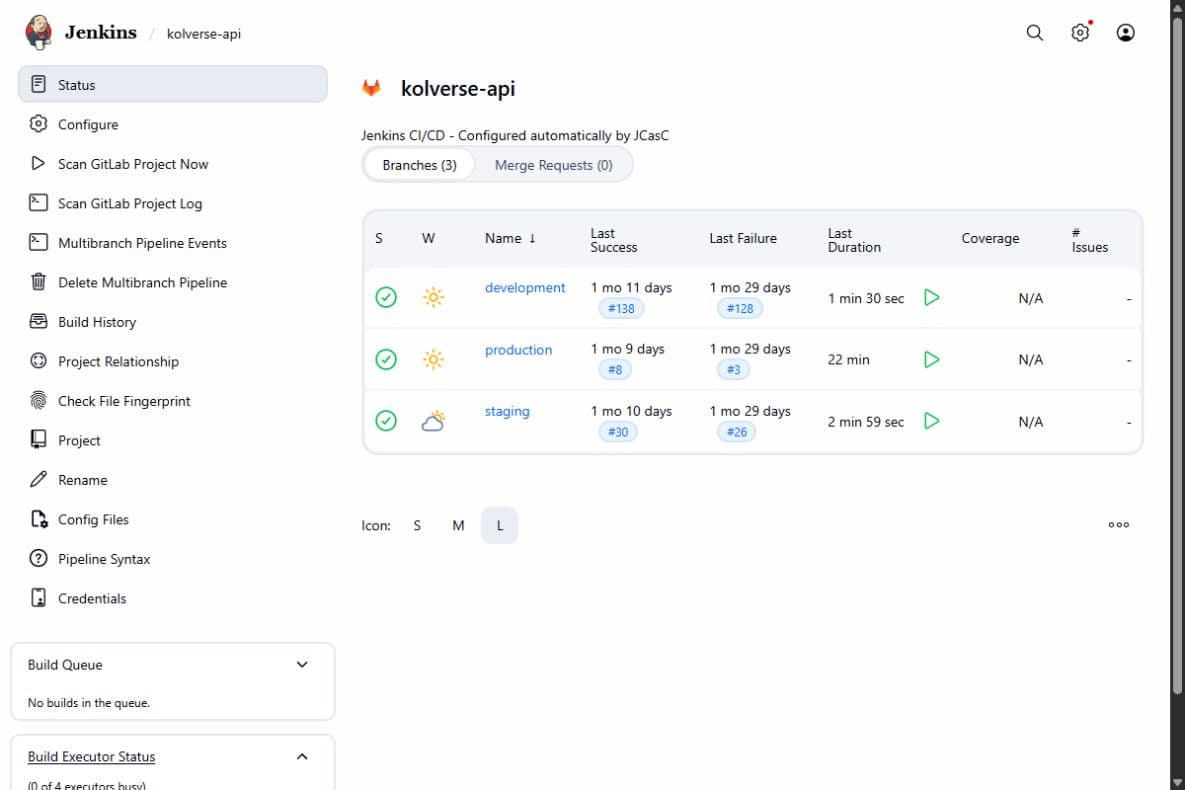
Validation runs on all discovered branches. Release preparation only runs for staging, main, and production.
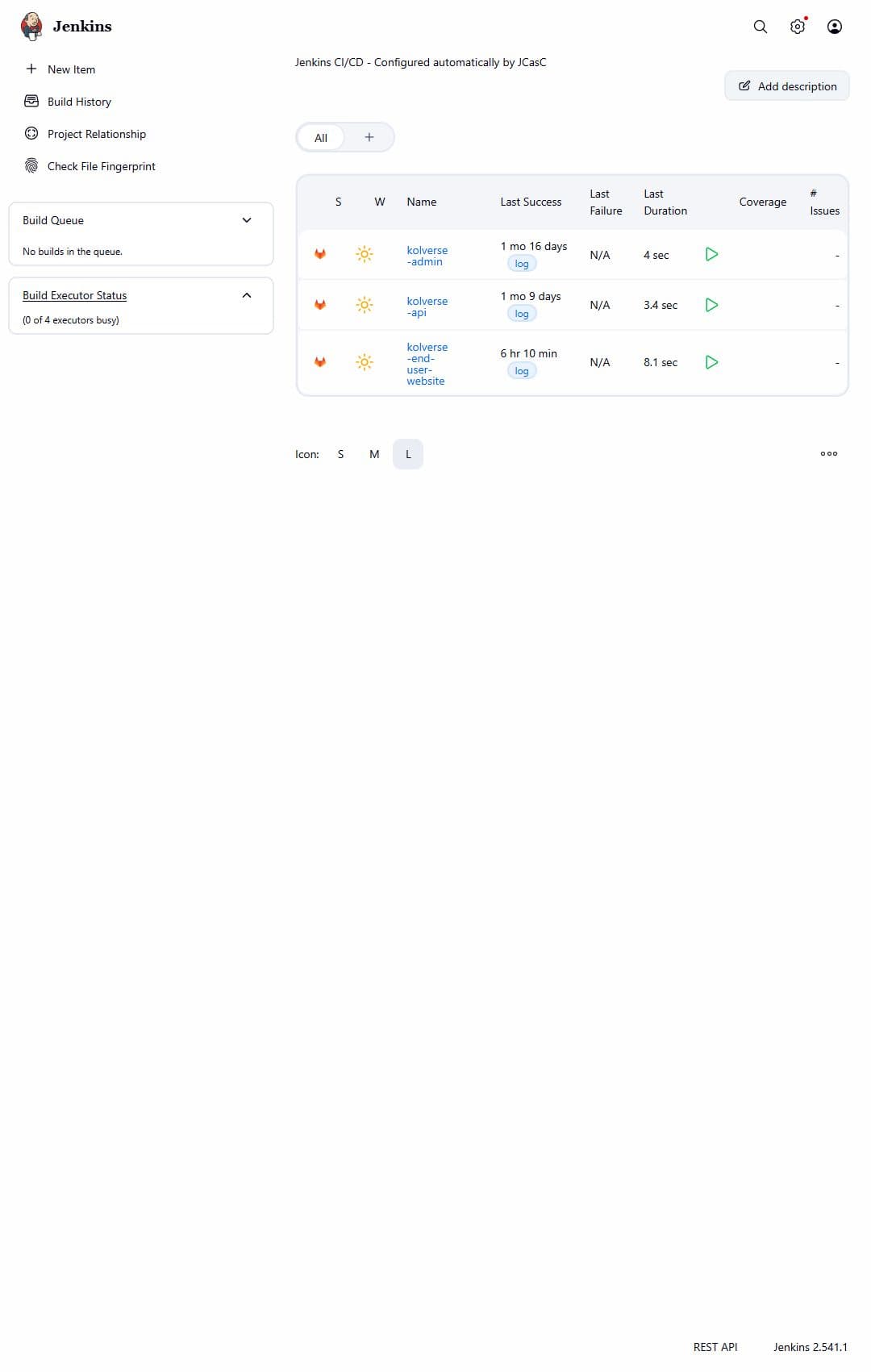
Create one Multibranch Pipeline per application
Multibranch jobs discover branches and load the root Jenkinsfile. Branch conditions then select validation, staging, or production behavior.
Connect GitLab, then bind credentials safely
GitLab → Settings → Webhooks / Integrations
URL: https://<jenkins-host>/project/<multibranch-job>
Events: Push events + Merge Request events

git push → webhook → branch scan → Jenkinsfile → pipelineI compared Website against the working Admin integration, corrected the differing configuration, rescanned the Multibranch project, and retriggered staging. Repository history records the fix.
Registry login
EC2 identity
Target host
Frontend build variables
Website analysis
withCredentials([
  usernamePassword(
    credentialsId: 'gitlab-registry',
    usernameVariable: 'REG_USER',
    passwordVariable: 'REG_PASS'
  )
]) {
  sh '''
    printf '%s' "$REG_PASS" | docker login "$REGISTRY_HOST" \
      -u "$REG_USER" --password-stdin
  '''
}
Jenkins injects values only inside withCredentials; the password is passed through standard input and never committed.
Execute dependency, quality, test, and build gates
Interactive stage components follow the real API Jenkinsfile.
stage('Install') { steps { sh 'bun install --frozen-lockfile' } }
stage('Validate') {
  steps {
    sh 'bun run lint:check'
    sh 'bun run format:check'
  }
}
stage('Test') { steps { sh 'bun run test' } }
stage('Build App') { steps { sh 'bun run build' } }CI must use the dependency graph committed in bun.lock.
Either failure stops the release path.
API runs bun run test; Admin currently has a smaller validation path.
NestJS must compile before an artifact can be released.
View full API Jenkinsfileapi.JenkinsfileView full source
Loading source…
View full Website Jenkinsfilewebsite.JenkinsfileView full source
Loading source…
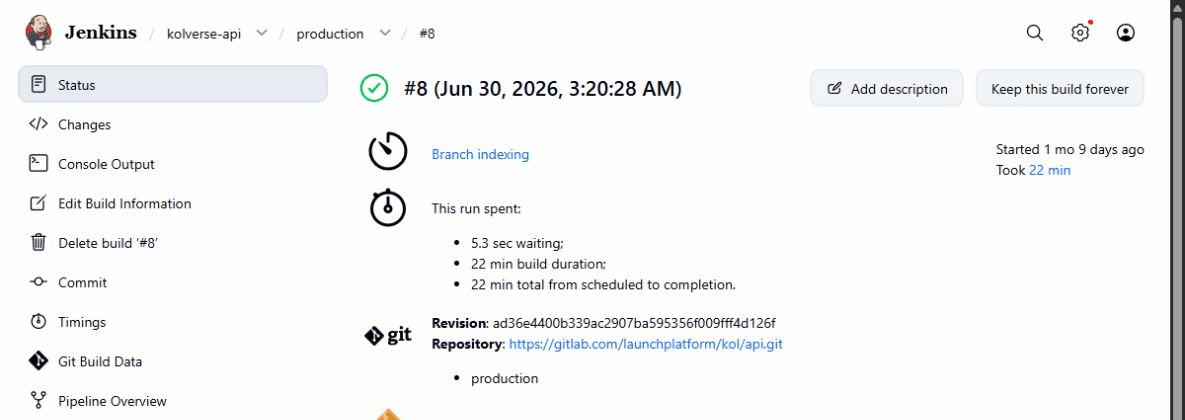
Create a traceable tag, then require approval
def shortSha = sh(script: 'git rev-parse --short HEAD', returnStdout: true).trim()
def imageDate = sh(script: "date -u +'%Y%m%d'", returnStdout: true).trim()
env.RELEASE_ENV = env.BRANCH_NAME == 'staging' ? 'staging' : 'production'
env.TAG = "${imageDate}-${shortSha}"Date identifies the release window; SHA maps the running image to source.
stage('Build & Push Production') {
  when { anyOf { branch 'main'; branch 'production' } }
  steps {
    input message: 'Deploy API to PRODUCTION?', ok: 'Deploy'
    // authenticated build and push follows
  }
}
Website and API require a human decision before production. Admin currently lacks the equivalent gate.
Build once and publish to GitLab Registry
ENV=production
TAG=${1:-v1.0.0}
REGISTRY="registry.gitlab.com/launchplatform/kol/api"
IMAGE="$REGISTRY/$ENV"

docker build \
  --platform linux/amd64 \
  -f "$ROOT_DIR/Dockerfile" \
  -t "$IMAGE:$TAG" \
  "$ROOT_DIR"

docker push "$IMAGE:$TAG"
docker rmi "$IMAGE:$TAG" || trueThe script builds the repository root with the actual Dockerfile, pushes the tag, and removes the local copy. EC2 pulls an existing artifact instead of compiling production source.
View complete production build scriptapi-build.prod.shView full source
Loading source…
Prepare EC2, then update only the API
API EC2
├── Docker Engine
├── Docker Compose
├── /home/admin/project
│   ├── docker-compose.yaml
│   └── .env.production
└── app + infrastructure containers
Terraform supports separate Website, API, and Admin EC2 workloads. The API runtime also contains PostgreSQL, Redis, MinIO, Neo4j, OpenSearch, and observability services.
cp docker-compose.yaml docker-compose.yaml.bak-$BUILD_NUMBER
perl -0pi -e 's#production-image:[^\n\r ]+#production-image:$TAG#' docker-compose.yaml
docker compose --profile production -f docker-compose.yaml config --quiet
docker compose --profile production -f docker-compose.yaml pull backend
docker compose --profile production -f docker-compose.yaml up -d --no-deps backendPreserve the previous Compose definition.
Point backend at the new immutable image.
Fail before service changes when Compose config is invalid.
Download the built artifact.
--no-deps prevents infrastructure services restarting with the API.
Jenkins and remote EC2 are different shells. The fix pipes the bound password into docker login --password-stdin on EC2 before running Compose.
Make schema and public traffic part of readiness
for i in $(seq 1 72); do
  curl -fsS http://127.0.0.1:8080/api/v1/health-check \
    >/dev/null 2>&1 && exit 0
  sleep 5
done
exit 1

curl -fsS --retry 24 --retry-delay 10 \
https://api.kolverse.ai/api/v1/health-check >/dev/nullPull → replacement → Prisma migration → NestJS on 8080.
Target health → ALB → TLS → Route 53 → public endpoint.
A backward-incompatible migration means reverting only the image may not restore the previous database/application contract.
ALB needs consecutive target checks while migration and startup take time. The pipeline polls localhost first, then retries the public URL.
Follow one API deployment end to end
- 01
Merge reaches main or production.
- 02
GitLab webhook fires and Jenkins discovers the branch.
- 03
Frozen install, lint, format, tests, and NestJS build pass.
- 04
YYYYMMDD-shortSHA is generated.
- 05
An operator approves production.
- 06
The linux/amd64 image builds and pushes.
- 07
Jenkins binds Registry, host, and SSH credentials.
- 08
EC2 logs into Registry.
- 09
Compose is backed up, retagged, and validated.
- 10
Backend is pulled and replaced with --no-deps.
- 11
Prisma migration runs before NestJS.
- 12
Local then public health checks pass.
- 13
Telegram reports the result.

Only now, follow traffic from DNS to the container
Terraform defines HTTPS, hostname routing, target groups, security boundaries, and Route 53 aliases. The API target group checks /api/v1/health-check.
Every component now has an implementation story
The polished architecture appears last because each box, credential boundary, artifact transition, server update, and health gate has already been explained.
What I implemented and maintained
Containerized Website, API, and Admin delivery paths.
Implemented three Jenkins Multibranch pipelines.
Connected GitLab events to Jenkins.
Configured credential-bound Registry and EC2 deployment.
Implemented branch-aware staging and production paths.
Added immutable release tagging.
Integrated Prisma migration into API readiness.
Added host and public-edge health verification.
Debugged webhooks, remote Registry login, Compose profiles, and ALB readiness.
Worked with supporting AWS/Terraform infrastructure and runbooks.
Claims are limited to repository and configuration evidence; Jenkins installation details and unavailable console screens are not invented.